
The countdown to the launch of Grand Theft Auto VI on November 19, 2026 is down to the wire. As one of the most anticipated releases in gaming history, players across PlayStation 5 and Xbox Series X|S are gearing up to step back into the neon-soaked streets of Vice City and the broader state of Leonida.
Given the massive scale of Rockstar's latest open-world masterpiece, waiting until release day to start downloading isn't ideal. This complete preload blog details when you can start your download, the storage requirements, and how to prepare your console.
GTA 6 Preload Start Date & Regional Release Times
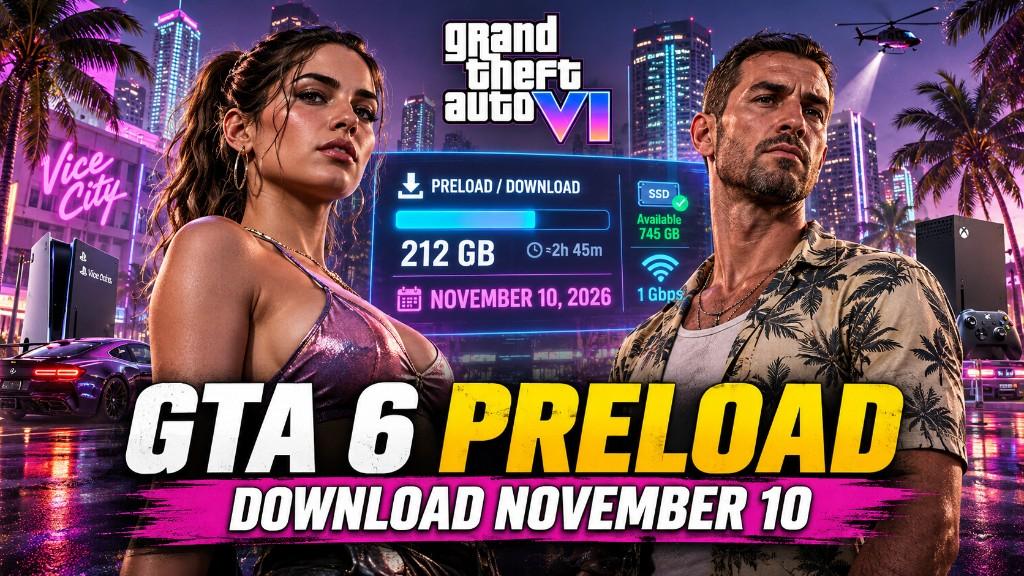
Rockstar Games confirmed that preloading for Grand Theft Auto VI begins on Tuesday, November 10, 2026. This gives players a full nine days to complete the installation before servers officially go live.
Preload Unlock Times by Platform
Preloading Grand Theft Auto VI begins official rollout on Tuesday, November 10, 2026, granting a nine-day window before servers launch on November 19. However, unlocking times vary depending on your console ecosystem. PlayStation 5 utilizes regional midnight launches, whereas Xbox Series X|S relies on a single simultaneous global release time tied directly to Greenwich Mean Time.
PlayStation 5
PlayStation 5 players can begin downloading GTA VI starting at 12:00 AM Midnight local time on November 10, 2026. Because access unlocks region by region as midnight hits each time zone, players in earlier zones—such as New Zealand and Australia—will gain download access first, while North American players will follow as midnight arrives along the East and West Coasts.
Xbox Series X|S
Xbox Series X|S digital preloading launches worldwide simultaneously at 12:00 AM GMT on November 10, 2026. This global time zone conversion means Western players get access on November 9: Pacific Time unlocks at 4:00 PM PDT, while Eastern Time opens at 7:00 PM EDT. Ensure your console power setting is set to "Sleep" to trigger the automatic download.
Key Time Zone Equivalents (Xbox & Global Reference)
| Region | Unlock Time | | --- | --- | | US Pacific (PDT) | 4:00 PM (November 9) | | US Eastern (EDT) | 7:00 PM (November 9) | | Central Europe (CEST) | 1:00 AM (November 10) | | Japan (JST) | 9:00 AM (November 10) |
How Much Storage Space Do You Need for GTA 6?
Grand Theft Auto VI sets a new standard for file size, reflecting its ultra-detailed environment, dynamic physics, and dense state-wide map.
Required File / Storage Size: Up to 212 GB of free SSD space.
Note: Because modern console systems require extra storage overhead during the installation and extraction process, it is recommended to keep at least 225 GB to 230 GB of clear space on your primary NVMe SSD.
Step-by-Step: How to Set Up Auto-Preload?
If you digitally pre-ordered GTA VI on the PlayStation Store or Xbox Games Store, you can configure your console to automatically start the download the moment preload opens.
Setting Up Auto-Download on PS5
- Navigate to your Game Library from the PS5 home screen.
- Select Purchased and open Grand Theft Auto VI.
- Select the Pre-load Timer / Set Auto-Download checkbox.
- Go to Settings > System > Power Saving > Features Available in Rest Mode and ensure Stay Connected to the Internet is toggled ON.
- Keep your console powered on or in Rest Mode on November 10.
Setting Up Auto-Download on Xbox Series X|S
- Open My Games & Apps > Full Library > Owned Games.
- Select Grand Theft Auto VI and click Manage Game and Add-ons.
- Enable automatic game updates in your system settings: Settings > System > Updates > Keep my games & apps up to date.
- Go to Settings > General > Power Options and set the power mode to Sleep.
- Leave your console in Sleep Mode on November 10 to trigger the download.
Checklist to Prepare Your System Before November 10
To ensure a smooth download process on preload day:
Audit Your Storage
With GTA VI demanding up to 212 GB of SSD space, clearing system clutter early is essential. Check your internal storage usage now, uninstall games you no longer play, and clear system cache or saved clips. Offloading older backward-compatible titles to an external USB drive will immediately free up the fast NVMe space needed for installation.
Use a Wired Ethernet Connection
Downloading a colossal 212 GB file over Wi-Fi can lead to throttling, signal drops, and agonizingly slow speeds. Plug an Ethernet cable directly into your PS5 or Xbox Series X|S before preload day hits. A wired connection maximizes your bandwidth, ensures continuous stability, and significantly reduces the total download time needed to get launch-ready.
Verify Payment Details
Digital pre-orders are typically charged a few days before preloading begins or right as the download triggers. Access your PlayStation Network or Xbox account settings to verify that your active credit card, PayPal, or digital wallet balance is up to date. Resolving potential billing issues now prevents failed transactions from delaying your automatic preload access.
Expand Storage if Necessary
If deleting existing titles isn't an option, upgrading your system capacity is the ultimate fix. Install a compatible high-speed M.2 NVMe SSD into your PlayStation 5, or plug a Seagate or Western Digital Expansion Card into your Xbox Series X|S. This instantly grants room for GTA VI without forcing you to compromise your existing game library.
Conclusion
With Grand Theft Auto VI landing on November 19, 2026, preparing your system ahead of time is the best way to ensure you are ready the moment servers go live. Mark November 10 on your calendar, double-check your billing details, and ensure your console has over 212 GB of free SSD space. Setting your system to auto-download guarantees you spend launch day exploring Vice City instead of watching a progress bar.