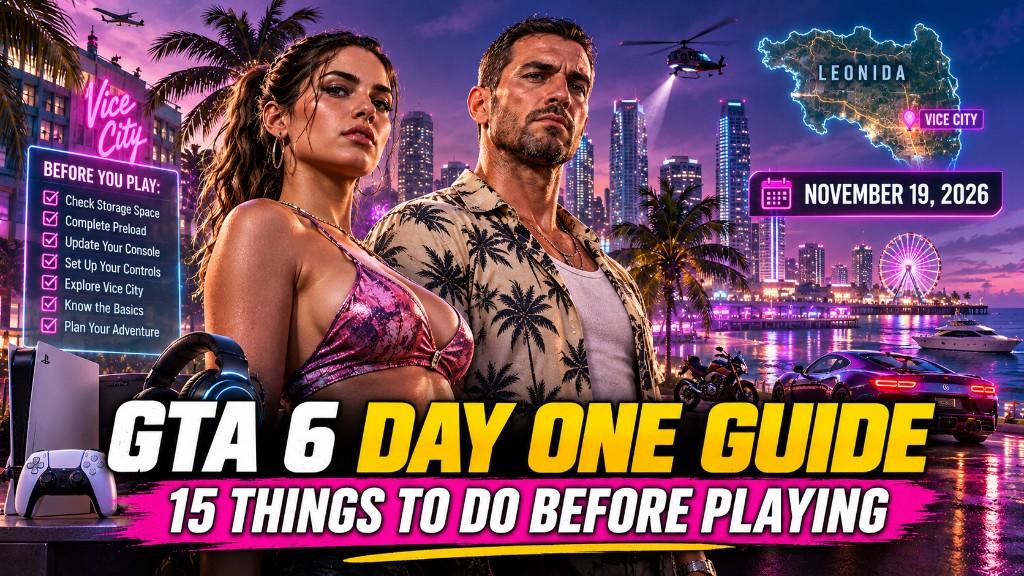
The launch of GTA 6 will bring players back to the world of Grand Theft Auto, but this time, the adventure takes place in the vibrant state of Leonida. From the neon-lit streets of Vice City to its surrounding highways, beaches, and rural communities, the game promises a huge open-world experience filled with opportunities for exploration.
Whether you plan to follow the main story, explore every corner of the map, or experience the criminal underworld with Lucia and Jason, preparing before launch can help you enjoy the game from the beginning.
A little preparation can also save time, prevent technical problems, and help you get more out of your first gaming session.
Here are 15 things to do before starting your GTA 6 adventure in Leonida.
Check Your Gaming Platform and System Requirements
Before starting GTA 6, make sure your gaming platform is ready. Rockstar has announced GTA 6 for PlayStation 5 and Xbox Series X|S, so players should confirm that their console is working properly and has enough available storage. If you plan to play on a supported console, check for system updates before launch. Also, inspect your controller, HDMI connection, and internet connection to avoid unnecessary interruptions. PC players should wait for official platform and system requirement announcements rather than relying on unofficial hardware estimates.
Make Enough Storage Space for GTA 6
A large open-world game can require substantial storage space for installation and updates. Although the final GTA 6 file size should be confirmed through official platform listings, preparing your storage in advance is a sensible step. Remove games you no longer play, delete unnecessary recordings, and move older files to external storage when possible. Keeping extra free space can also make future updates easier to install.
Update Your Console Before Launch Day
Installing system updates at the last minute can waste valuable gaming time. Your console may require firmware updates to support new features, improve stability, or maintain compatibility with the latest games. Check your PlayStation 5 or Xbox Series X|S for pending updates before launch. You should also restart your console after installing updates. This helps ensure everything is ready when you start your first GTA 6 session.
Prepare a Stable Internet Connection
Even if you primarily enjoy single-player games, a reliable internet connection can make launch day easier.
You may need internet access to download GTA 6, install updates, or access supported online services. A slow or unstable connection could delay your first gaming session.
Before launch:
- Test your internet speed.
- Restart your router if necessary.
- Use a wired connection when possible.
- Pause large downloads on other devices.
- Check your console's network settings.
Choose the Right GTA 6 Edition
Before launch, compare the available editions of GTA 6. Rockstar offers Standard and Ultimate Editions, with additional content available through the Ultimate Edition.
Your choice should depend on how much bonus content you want rather than the assumption that a more expensive edition automatically provides a better gameplay experience.
Consider these points:
- Standard Edition: Includes the base game.
- Ultimate Edition: Includes additional premium content and the Ultimate Edition bonuses.
- Pre-order bonuses: Check which items are included with your purchase.
Preload GTA 6 Before Its Release
One of the smartest ways to prepare for launch day is to download GTA 6 before it becomes playable. PlayStation's official GTA 6 page lists a November 10, 2026 preload date and recommends having at least 212 GB of available storage on PS5. Check your platform's official instructions for the applicable preload schedule and storage requirements. Preloading helps you avoid waiting for the full installation after launch. Once the game becomes available, you can focus on playing instead of managing downloads.
Get Familiar with Lucia and Jason
GTA 6 introduces two central protagonists, Lucia Caminos and Jason Duval. Their relationship and criminal journey are at the heart of the story. Before playing, explore their official character profiles and watch the released trailers. This will help you understand their personalities, backgrounds, and motivations. Lucia has a complicated past and is determined to build a better future. Jason has experience working around criminals and gets pulled into a dangerous situation alongside her. Understanding both characters can make the opening chapters more engaging. However, avoid watching excessive story breakdowns if you want to experience their journey without spoilers.
Explore the Official Leonida Map Details
Leonida is more than just another version of Vice City. It is the wider fictional state where GTA 6's story unfolds. Before starting your adventure, explore the official trailers, screenshots, and location reveals. Pay attention to the environments, road networks, coastal areas, and urban landscapes. This preparation can help you recognize locations when exploring the world for the first time. You should also avoid relying on unofficial map leaks. Some online maps contain unverified locations or inaccurate information that may create unrealistic expectations.
Decide Whether You Want a Story-First Experience
Every GTA player has a different approach to open-world games. Some prefer following the main storyline, while others immediately explore the map and discover activities. For your first GTA 6 session, consider choosing a story-first approach. Follow the opening missions, learn the characters, and understand the main objectives before spending hours exploring. This can help you become familiar with the game's world and progression. You can always return to free exploration once you have a better understanding of Leonida.
Prepare Your Controller and Gaming Setup
A comfortable gaming setup can make a long GTA 6 session much more enjoyable. Check your controller's battery, button responsiveness, and analog sticks. If you use a headset, test its microphone and audio settings before launch. PS5 players can also explore the DualSense controller's supported features. Rockstar and PlayStation have highlighted immersive controller functionality as part of the experience. Consider adjusting your screen brightness, audio levels, and seating position to make longer sessions comfortable.
Watch the Official GTA 6 Trailers
The official trailers are among the best resources for understanding the world of GTA 6 before launch. They introduce important characters, showcase different locations, and provide glimpses of the game's atmosphere.
Watch the trailers with attention to:
- Lucia and Jason's relationship.
- Vice City's streets and neighborhoods.
- Leonida's coastal environments.
- Vehicles and transportation.
- Social media-inspired elements.
- The criminal activities shown in the footage.
Avoid GTA 6 Story Spoilers
With so much excitement surrounding GTA 6, spoilers will likely spread across social media, gaming forums, and video platforms. If you want to enjoy the story without knowing major events in advance, take a few precautions. Avoid watching leaked cutscenes, reading unverified story summaries, or clicking videos with suspiciously detailed mission titles. You can also mute relevant keywords on social media platforms and avoid GTA 6 discussion groups until you finish the main story. Protecting your first experience is especially important when playing a story-driven game with two protagonists.
Plan Your First Exploration Route
Leonida offers plenty of reasons to explore beyond the main storyline. However, you do not need to visit every location during your first gaming session. Instead, create a simple exploration plan. Start with the areas introduced through the opening story, then gradually explore nearby streets, businesses, beaches, and other accessible locations. Pay attention to interesting landmarks and unfamiliar roads. You might discover activities or locations worth revisiting later. Remember that the full map and every activity may not be accessible immediately. Let the story introduce new opportunities naturally.
Set Your Gameplay Priorities
Before entering Leonida, think about what you enjoy most in Grand Theft Auto games. Your priorities can influence how you spend your first few hours in GTA 6.
For example:
- Story lovers: Focus on Lucia and Jason's missions.
- Explorers: Spend time discovering new locations.
- Vehicle enthusiasts: Pay attention to cars, motorcycles, and other transportation.
- Action fans: Experience available combat and criminal activities.
- Completionists: Keep track of discovered locations and optional activities.
Make Time for Your First GTA 6 Session
Finally, plan your launch-day gaming time. After downloading the game, updating your console, and checking your setup, give yourself enough time to enjoy the opening experience without unnecessary interruptions. Avoid rushing through missions simply because you want to reach the next major event. Take time to appreciate the environment, listen to conversations, explore accessible locations, and understand the gameplay. You can also take screenshots or short recordings of memorable moments if your platform supports them. Most importantly, enjoy the experience at your own pace. Your first journey through Leonida should feel exciting rather than like another checklist to complete.
Final Thoughts
Preparing for GTA 6 before launch can make your first experience in Leonida much smoother. From checking your console and storage to learning about Lucia and Jason, these 15 steps can help you avoid common launch-day problems and enjoy the adventure from the beginning.
With Vice City at the center of a much larger world, GTA 6 offers plenty of reasons to explore, experiment, and discover something new. Take your time, follow the story, and enjoy everything Leonida has to offer.
Your adventure begins on November 19, 2026. Make sure you are ready.